
AI Boost
The AI Boost module allows you to feed essential contextual data directly into Isara. By default, AI analyzes conversations using general language models. Adding your specific business context, product documentation, knowledge base links, and custom analysis rules ensures Isara interprets customer tickets through the exact lens of your organization—sharpening topic detection, improving trend accuracy, and delivering recommendations tailored to your operations.
-
Helpdesk & Knowledge Base Links
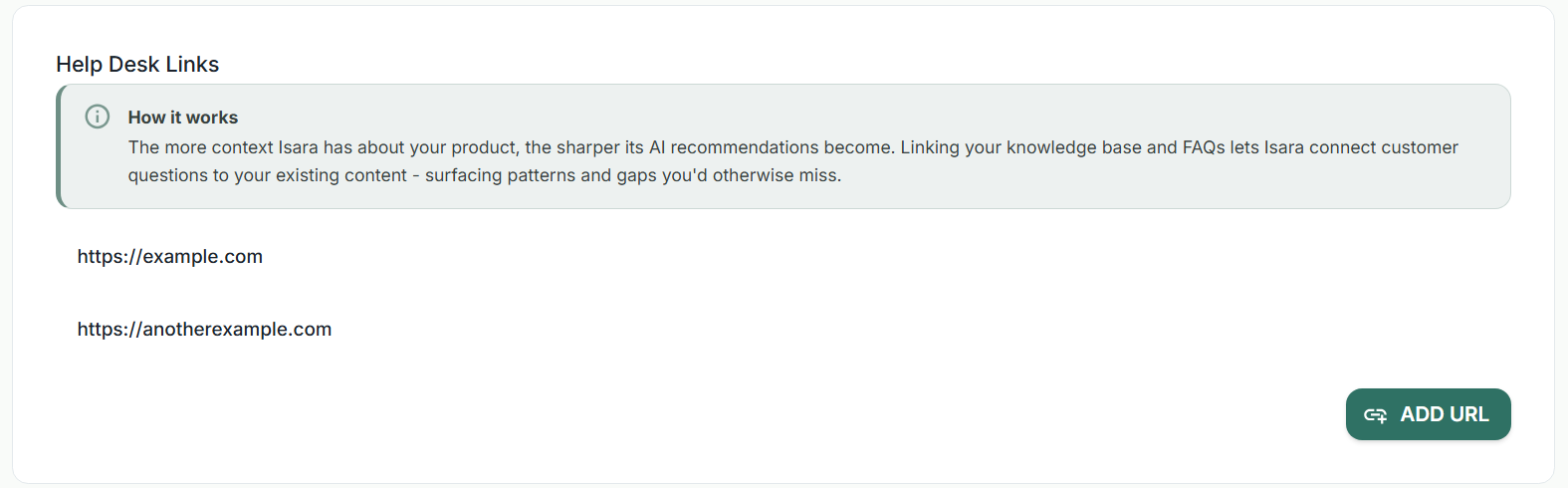
Connecting your existing public documentation, help center, or FAQ pages gives Isara real-time access to the answers your support team provides every day.
How It Works:
Connecting Answers to Tickets: Isara cross-references customer queries against your existing help articles.
Spotting Gaps & Patterns: By comparing incoming tickets against your documentation, Isara highlights missing help center topics, outdated articles, or recurring issues where current documentation fails to fully resolve customer friction.
Setup Instructions:
- Navigate to the Helpdesk Links section inside AI Boost.
- Click the Add URL button.
- Paste the direct URL to your public knowledge base, help center landing page, or FAQ index.
- Save your changes. Isara will index the provided link to enhance conversation mapping.
-
Product Documentation
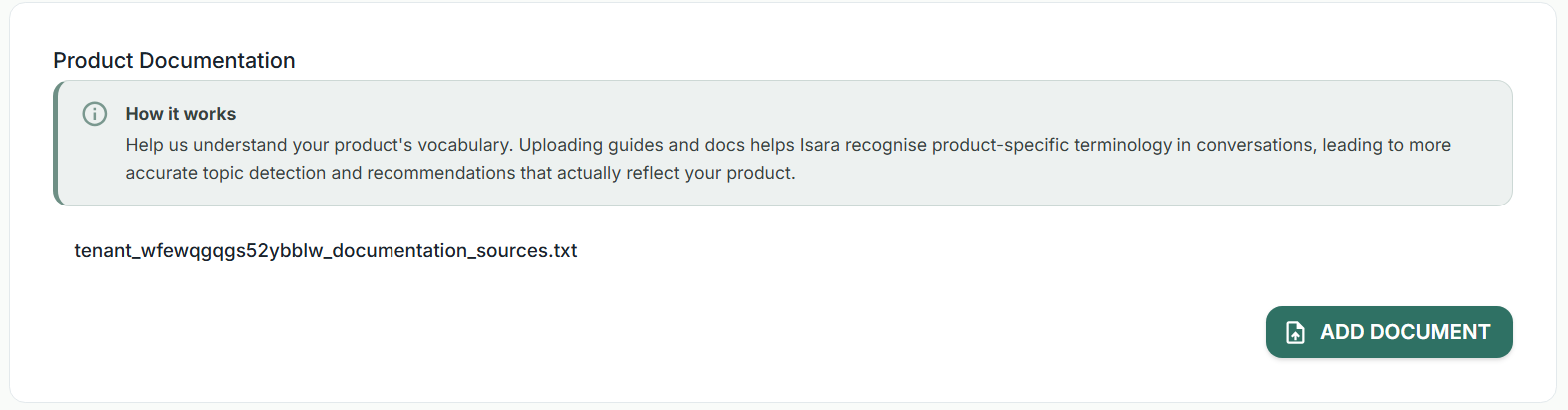
Every software product or business has its own unique vocabulary, feature names, and technical jargon. Uploading internal user guides and technical documentation ensures Isara speaks your exact language.
How It Works
Precision Topic Detection: Increases accuracy when grouping tickets by category or underlying technical cause, delivering reporting that accurately reflects your actual product stack.
Setup Instructions
- Navigate to the Product Documentation section.
- Click the Add Document button.
- Select and upload your files (e.g., user manuals, release notes, system guides, PDF manuals).
- Allow a few moments for Isara to process and digest the terms within the uploaded files.
-
Business Context
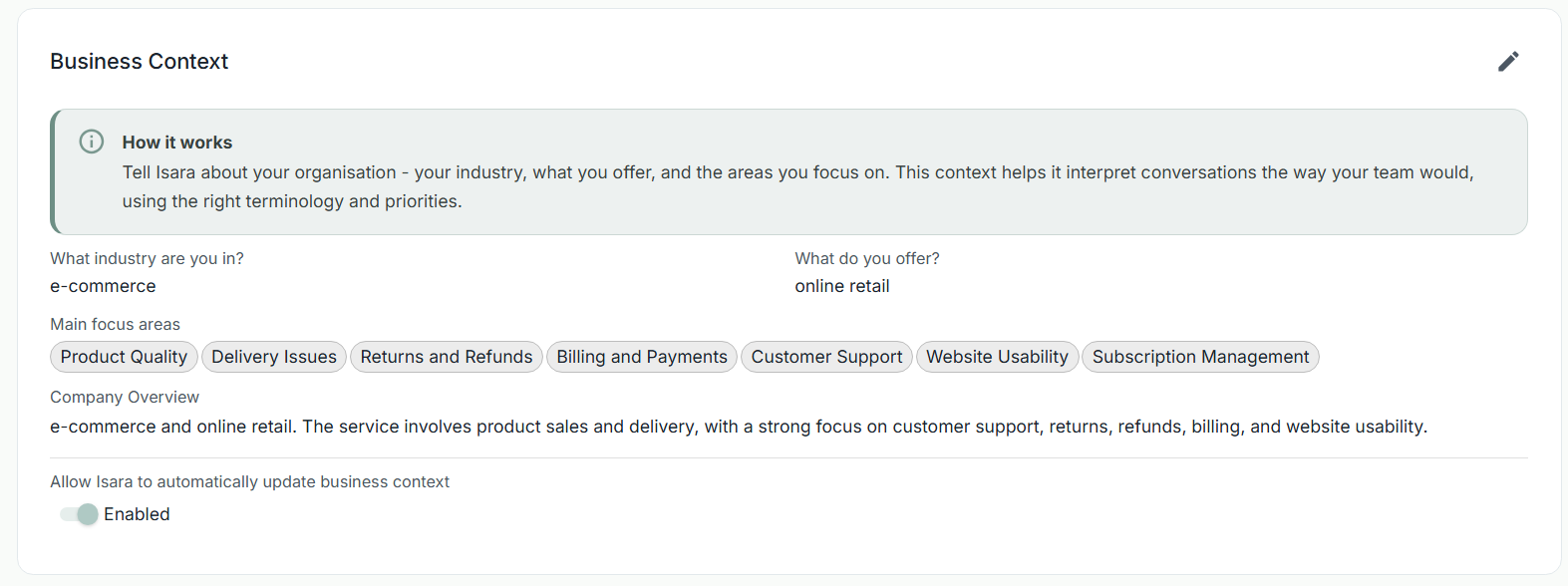
Define the core parameters of your organization—your industry, core offerings, primary customer demographics, and high-priority focus areas.
How It Works
Contextual Analysis: Ensures conversation sentiment and issue criticality are evaluated in line with your industry standards and team priorities.
Setup Instructions
- Open the Business Context section.
- Complete the provided fields defining your industry, target market, and primary product/service lines.
- Update these details whenever your product focus or target audience evolves or allow Isara to automatically update the business context.
- Advice & Guidance
The Advice & Guidance section provides custom text fields that allow you to directly steer how Isara’s AI models read, interpret, and summarize conversation data. Think of this as giving specific instructions to a new analyst joining your team.
How It Works
Steering AI Interpretation: Each text box covers a distinct area of analysis guidance. You can instruct Isara to ignore specific edge cases, flag specific high-priority keywords, or interpret specific phrasing in a custom way.
Flexible Customization: You only need to fill out the guidance fields relevant to your current focus; any blank boxes will simply revert to Isara’s standard baseline analysis.
Setup Instructions
- Review the descriptions listed alongside each guidance text box.
- Enter your specific instructions or guidelines into the corresponding field.
- Note: If a particular category doesn't apply to your business operations, leave the input box empty.
Updated 4 days ago