
Public API for Universal Intake
Isara analyzes your support data to surface critical customer health and success signals.
Custom Integration via Isara Public API
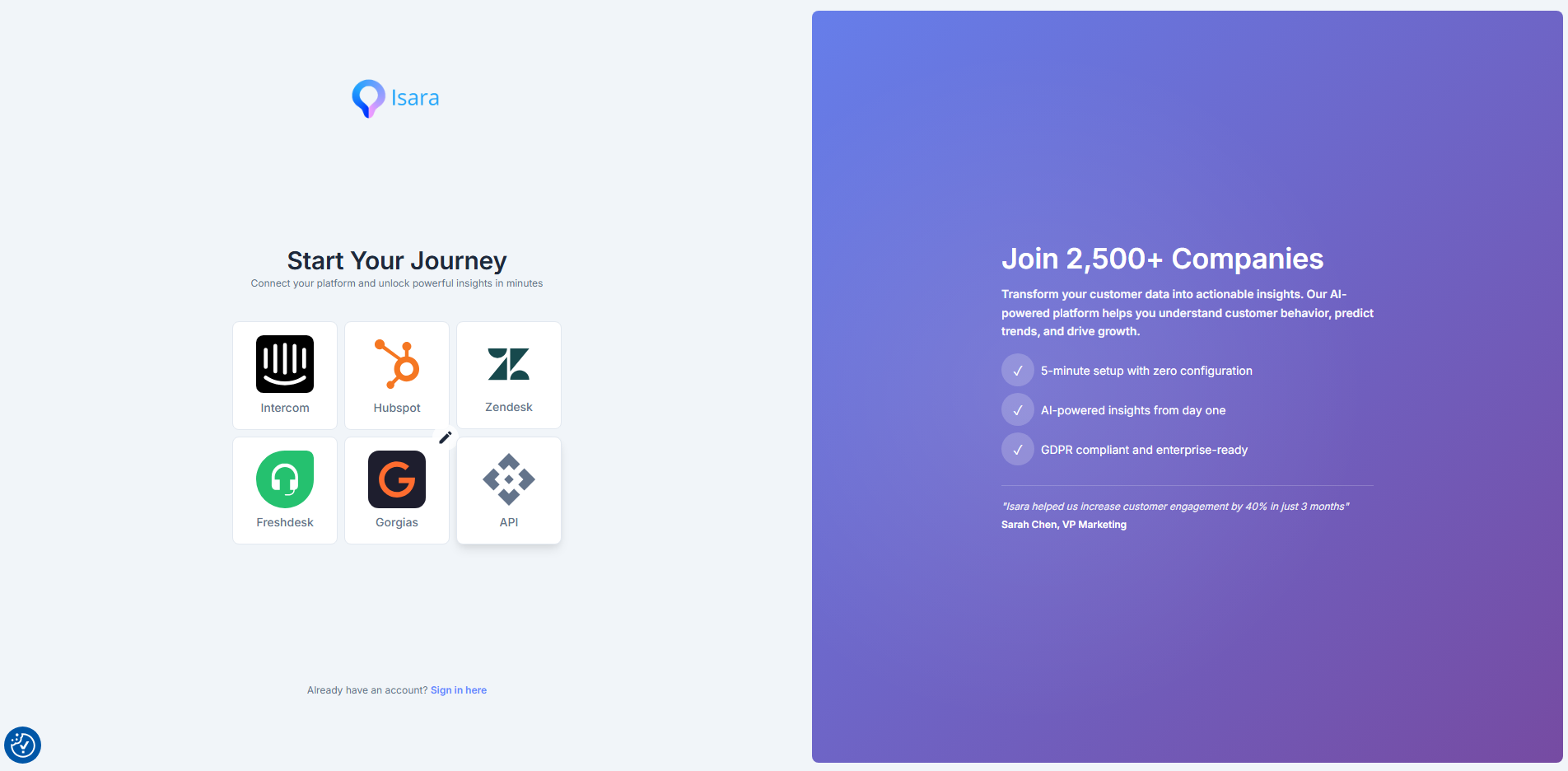
If you're new to Isara, start on our register page https://insights.isara.ai/register, click the API icon, and create your Isara account. Once your account is created, the full API guideline is also present here: https://insights-api.isara.ai/docs/api#/
With the Isara Public API, you no longer need a native integration to unlock our powerful AI analysis. We have opened our doors so you can push your raw customer conversations directly into our engine and pull out deep, actionable intelligence—giving your engineering and support teams ultimate flexibility.
This unlocks Isara's full suite of features—including Pulse and Insights Dashboards, Agent Intelligence, Churn Risk detection, and Compliance Audits—for completely bespoke tech stacks.
Why build with the Isara API?
- Platform Independence: Connect any custom CRM, in-house chat tool, or specialized ticketing system directly to Isara.
- Full Feature Access: Get the exact same Agent Intelligence, Churn Risk detection, and Compliance Audits as our native integrations.
- Custom BI Sync: Pipe Isara's enriched metrics (like pCSAT, sentiment temperatures, and agent skill gaps) straight into your own data.
What you will find below is a full guide to the 3 main pillars of establishing the connection: generating your credentials, conversations ingestion, and retrieving and routing your Insights.
Getting Started
Base URL
All API requests should be made to the following base URL:
https://insights-api.isara.ai/api
Authentication
Every request to the Isara API must be authenticated using a Personal Access Token (PAT) generated from your Isara profile - once you created your Isara account, click your name and access "My Profile". Here you can generate a new token.
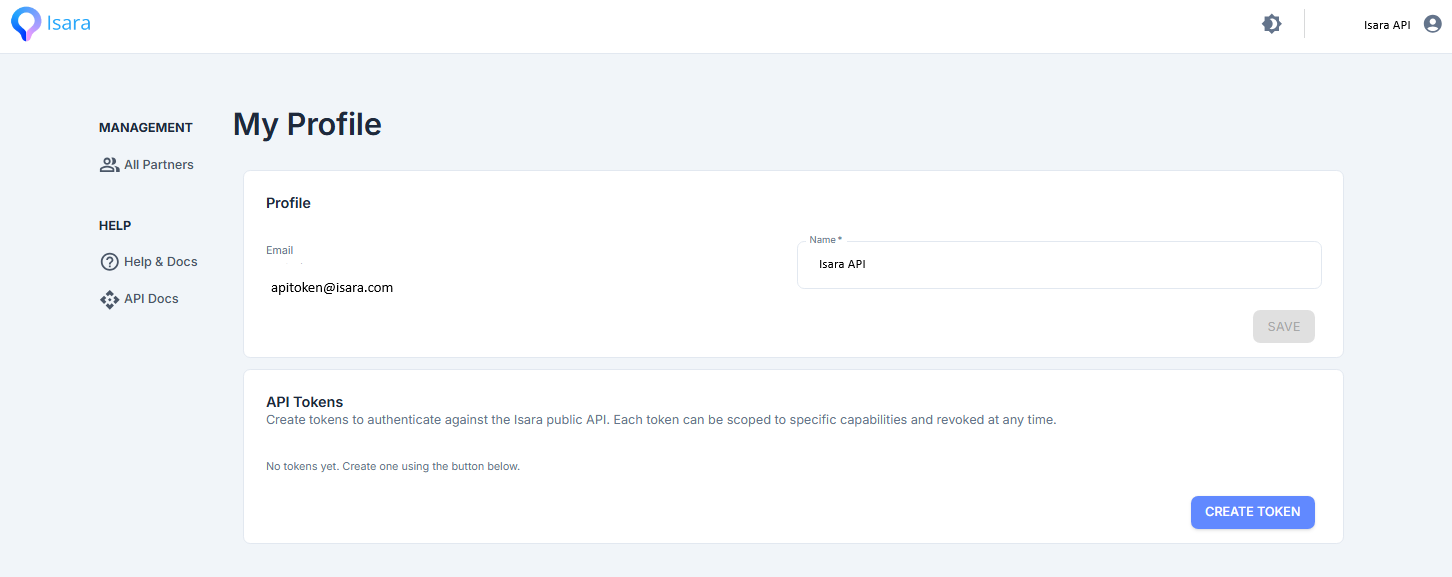
Include your PAT in the headers of your request using standard Bearer authentication:
Authorization: Bearer <your-token>
Rate Limiting
Requests are rate-limited on a per-workspace (tenant) basis. If you exceed the maximum allowed requests, the API will return a 429 Too Many Requests status code. Ensure your application gracefully handles these responses.
1. Data Ingestion: Pushing Conversations
To analyze your support data, you first need to push your raw or normalized conversations into Isara.
POST /public/{tenant}/conversations
POST /public/{tenant}/conversationsAccepts a batch of normalized conversations and forwards them to the analysis engine.
-
Authentication Note: The token must have the
conversationIngestion-createability. -
Rate Limit: Strictly limited to 20 requests per minute.
-
Payload Constraints: You can send a maximum of 100 conversations per request.
Example Payload Structure:
{
  "conversations": [
    {
      "id": "conv-12345",
      "created_at": "2026-06-03T10:00:00Z",
      "status": "closed",
      "subject": "Login issues",
      "priority": "high",
      "contact": {
        "id": "user-88",
        "name": "Jane Doe",
        "email": "[email protected]"
      },
      "messages": [
        {
          "id": "msg-001",
          "created_at": "2026-06-03T10:01:00Z",
          "author_type": "customer",
          "body": "I cannot access my dashboard.",
          "content_type": "text"
        },
        {
          "id": "msg-002",
          "created_at": "2026-06-03T10:05:00Z",
          "author_type": "agent",
          "body": "Let me reset your password.",
          "content_type": "text"
        }
      ]
    }
  ]
}
2. Retrieving Analyzed Conversations & Tasks
Once your data is ingested and processed, you can retrieve the fully analyzed conversations, complete with tags, sentiment indicators, and AI summaries.
-
POST /public/{tenant}/conversations/fetch: Returns a paginated list of analyzed conversations based on robust filters (dates, temperatures, severities, or specificconversation_uids). -
GET /public/{conversationId}/conversations/{conversationId}: Pulls the full detail of a specific conversation, exposing deep exchange-level metadata, early warning signals, and intervention requirements. -
GET /public/{tenant}/tasks: Returns a list of actionable follow-ups (tasks) generated by the AI engine, such as priority interventions and early warning alerts.
3. Pulling Dashboards & Metrics
The Isara API exposes all the data that powers your web dashboards, allowing you to pipe Agent Intelligence and Customer Insights directly into your own BI tools (like Looker, Tableau, or custom admin panels).
All dashboard endpoints support a robust set of query parameters, including date_preset (e.g., last_7_days, this_month), channel_type, ticket_status, agent_participant_type (human vs. bot), and custom filters.
Agent Intelligence Endpoints
Gain granular visibility into human and bot performance.
-
GET .../insights/agent-roster: Returns active agents and their base metrics for a given period. -
GET .../insights/agent-performance-score: Aggregated performance scores weighted by detection rates, effort metrics, and pCSAT. -
GET .../insights/agent-capability-profile: A deep dive into an agent's conversational skills (e.g., depth of knowledge, sensitivity, interpersonal skills). -
GET .../insights/agent-skill-match: Compares the complexity/skills required for handled conversations against the agent's demonstrated skills. -
GET .../insights/agent-detection-rates: Tracks operational anomalies like override rates, inconsistency rates, and correction rates per agent. -
GET .../insights/agent-volume-assessments: Maps workload against quality, highlighting metrics like total effort and complexity variance.
Customer & Churn Insights Endpoints
Extract the pulse of your customer base.
-
GET .../insights/customers-at-risk&.../insights/users-at-risk: Returns B2B accounts or B2C end-users flagged for high churn risk based on conversational sentiment. -
GET .../insights/customer-monitoring: Highlights top product friction points and feature requests, categorizing them by product, service, or context tags. -
GET .../insights/pcsat: Returns your predicted Customer Satisfaction scores trended over time. -
GET .../insights/customer-temperature&.../temperature-evolution: Extracts sentiment distributions (hot, warm, cold) and their historical evolution. -
GET .../insights/average-growth-opportunities-mentions: Tracks how often upsell and expansion signals surface in support chats.
Recommendations & Audits
Extract the automated recommendations and compliance reports Isara builds for you.
-
GET .../insights/tenant-recommendations: Pulls structured, tenant-wide recommendations (e.g., specific knowledge base updates, product fixes, or agent training needs). -
GET /public/{tenant}/audits: Fetches a historical list of all generated compliance audits. -
GET /public/{id}/audits/{id}: Retrieves the actual generated content of a single compliance audit.
Additional Agent Intelligence Endpoints
-
GET .../insights/agent-effort: Returns effort metrics per agent, specifically covering message counts, response times, and conversation complexity indicators for the selected date range. -
GET .../insights/agent-contribution: Highlights how each agent contributes to key outcomes—like growth opportunities, proactive information shares, and pCSAT signals—relative to the rest of the team. -
GET .../insights/agent-assessment-conversation-uids: Returns the specific conversation UIDs associated with a particular agent's assessments, allowing developers to link high-level agent metrics directly back to the underlying conversations. -
GET .../insights/agent-training-recommendations: Retrieves per-agent training recommendations (often related to bot goals) and joins them directly with your agent roster.
Additional Customer & Growth Insights Endpoints
-
GET .../insights/customer-monitoring-chart: Returns the time-series chart data for customer monitoring, showing exactly how the volume of mentions for a specific tag has trended over your selected date range. -
GET .../insights/average-information-shares-per-conversation: Returns the average number of proactive information shares (instances where the agent volunteered helpful content before the customer had to ask) detected per conversation.
Updated about 2 months ago